
Some posts no tool can publish for you. If the story has a link sticker, if the reel needs a track from Instagram's music library, if there's a poll or you need to tag the brand you collaborated with: that has to be done in the app, by hand, no way around it.
Until now there were two bad options. Schedule it anyway and watch it fail at posting time, or leave it off the calendar and trust yourself to remember. From today there's a third: mark it as manual and let Planer remind you.
Mark it when you schedule it
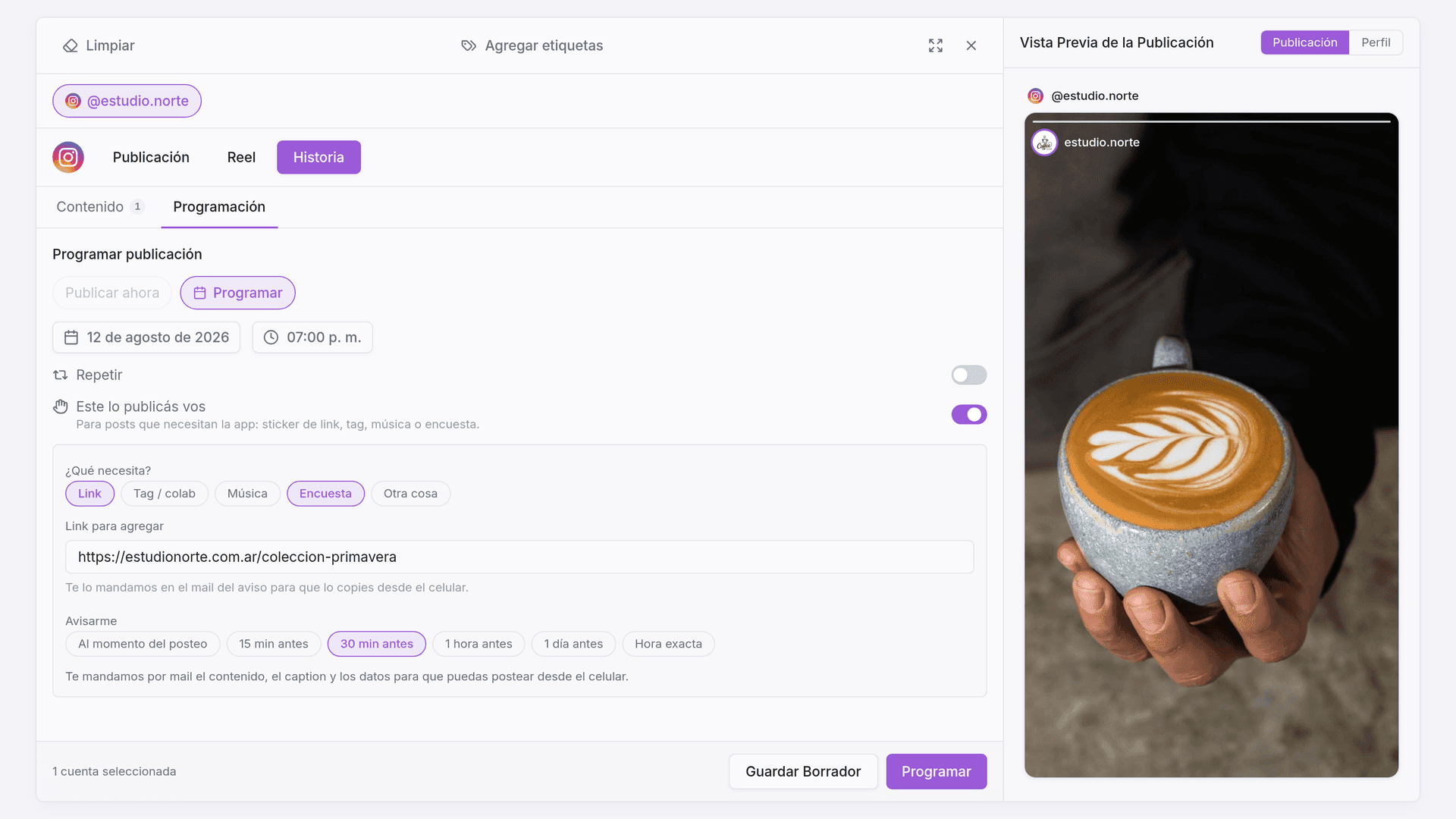
In the schedule modal, below the date, there's a new switch: Publish this one yourself. Turn it on and choose what the post needs — Link, Tag / collab, Music, Poll or Something else — and how far in advance you want the reminder: at posting time, 15 or 30 minutes before, an hour, a day, or the exact time you prefer.
If you ticked Link, a field appears to paste the URL. It's the only reason that has something to carry over to your phone, so it's saved and repeated for you in the email.
A manual post always has a date — "publish now" no longer makes sense — and Planer doesn't send it to the API. It doesn't run the platform validations on it either: the app is what accepts or rejects the post.
The reminder arrives with everything ready
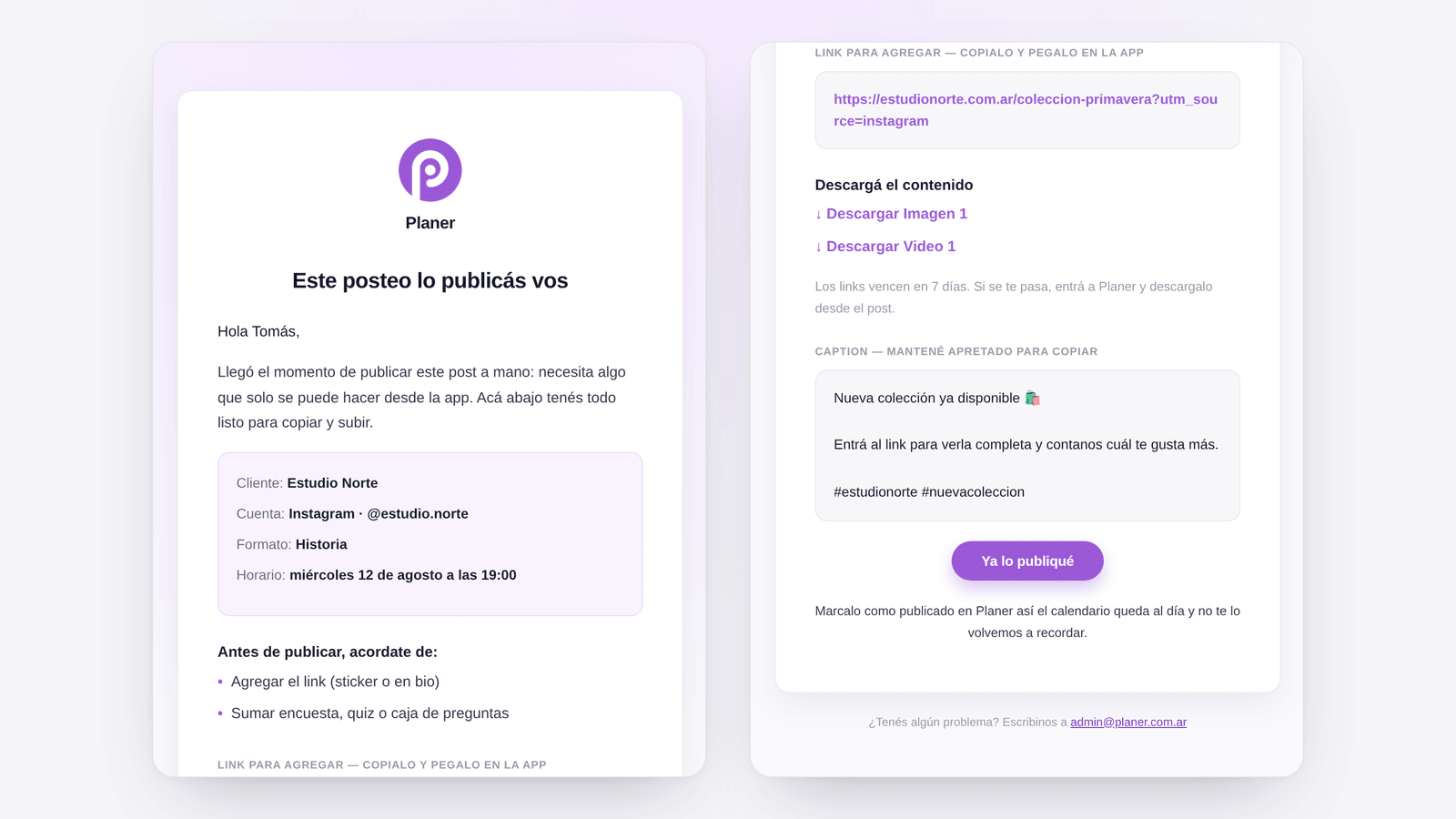
At the time you picked, you get an email with everything the app is going to ask you for:
- The post details — client, account, format and time, in your time zone.
- The checklist of what's missing, built from the reasons you ticked.
- The link to paste, if there was one.
- The content to download, one file per image or video.
- The caption, in its own block so you can copy it in one go.
Download links last 7 days. If you miss them, the content is still in the post inside Planer.
And the calendar stays up to date
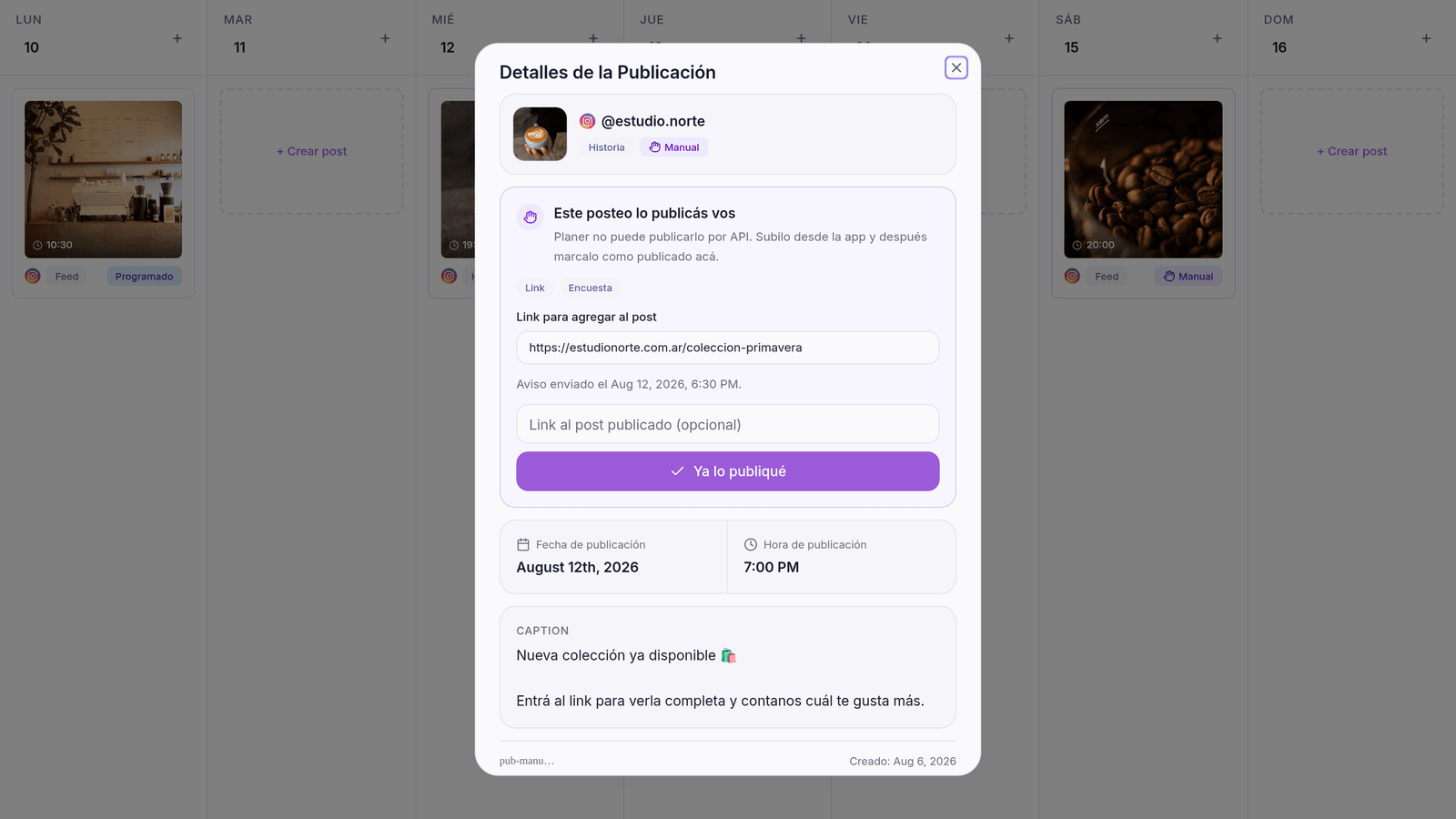
While it's pending, the post shows on the calendar with its own Manual tag. Once you've actually published it, open the post — or tap the button in the email — and hit I already published it. You can paste the link to the published post there; it's marked as published and we won't remind you again.
In Settings → Manual posting you set your time zone (it's detected automatically) and how far ahead you want the reminder by default, so you don't have to choose it post by post.
Where to find it
It's in the usual schedule modal, in the date section, and it doesn't depend on your plan: if you can schedule, you can mark a post as manual.
More updates
Ready to try what’s new?
Start for free and manage all your social media from one place.